That laptop in the drawer is not dead. It is suffocating under an OS that outgrew it. Windows 11 will not install on many 2014–2019 machines (TPM 2.0), and Windows 10 support ended in October 2025.
A lightweight Linux distribution is the fix. This list merges the big 2026 roundups — FOSS Linux, TechIlu, Linux.com, How-To Geek, ZDNet, and TecMint — updated to current versions.
Every distro below was picked for old laptops, and Linux Lite 8.2, the latest version, leads the list. It pairs an Ubuntu LTS base with an Xfce desktop.
How to Pick the Right Lite Distro
Start with RAM. Under 2 GB needs the ultra-light options, antiX or Puppy Linux. The 2–4 GB range is where Linux Lite and Lubuntu fit. With 4 GB or more, any lightweight distro runs comfortably.
Check 64-bit first: most modern light distros, Linux Lite included, are 64-bit only, so a 32-bit machine has few options left — antiX and Puppy are the realistic ones. An SSD is the biggest single upgrade for a spinning-drive laptop.
Try before you install: every distro here runs from a live USB without touching your files. Linux Lite needs Secure Boot switched off in the BIOS.
1. Linux Lite 8.2 — Best for Most Old Laptops
Linux Lite 8.2 takes the top spot: light, polished, well maintained, and built for old Windows laptops.
The ISO is 2.4 GB. Linux Lite is not the lightest option here; it tops the list on balance, not on weight.
Why It Tops the List
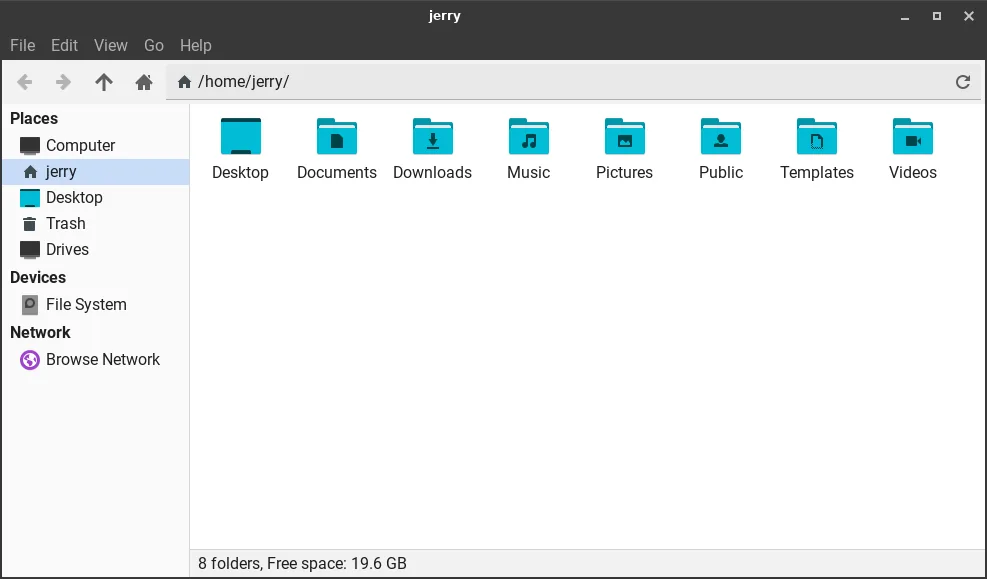
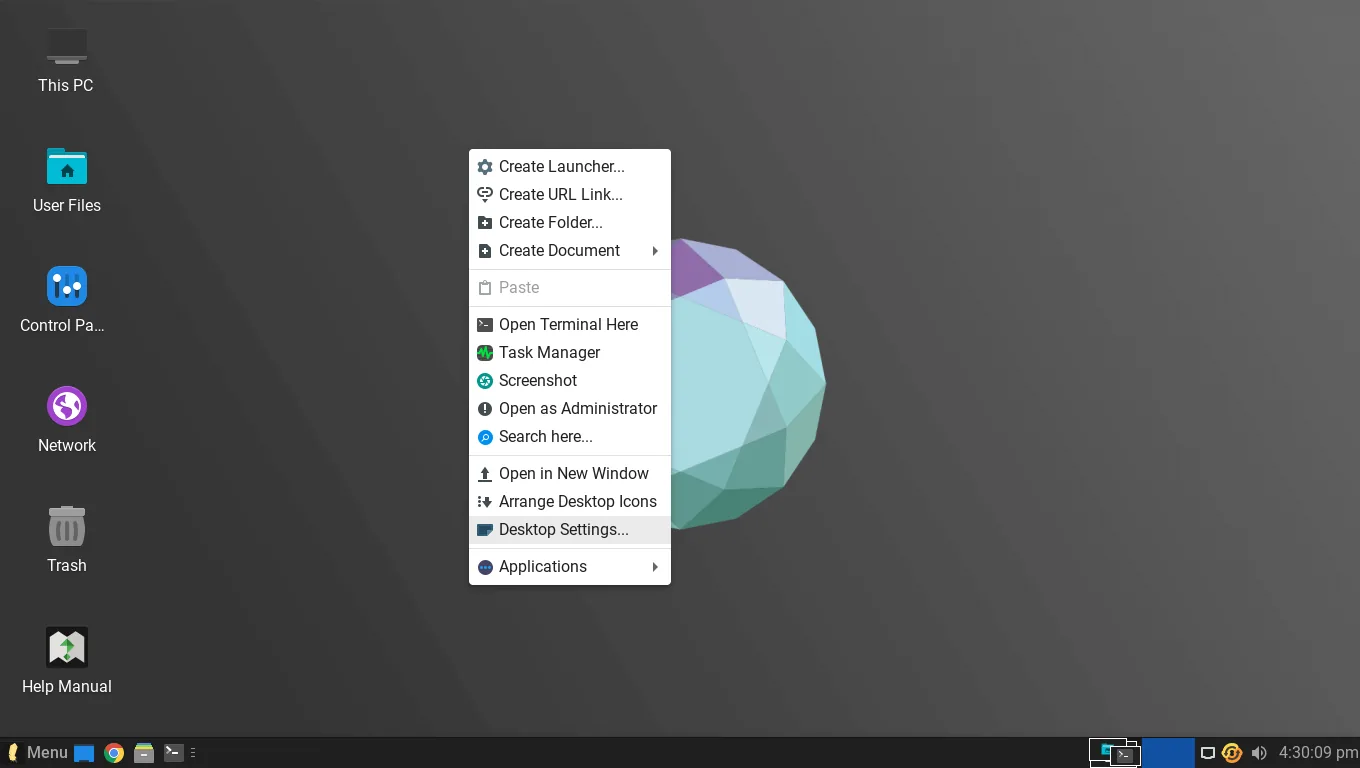
The Xfce desktop looks like Windows: taskbar, start menu, system tray, clock. A Windows user starts working instead of hunting for everything. Reviewers keep ranking it first for exactly that reason.
What You Get Out of the Box
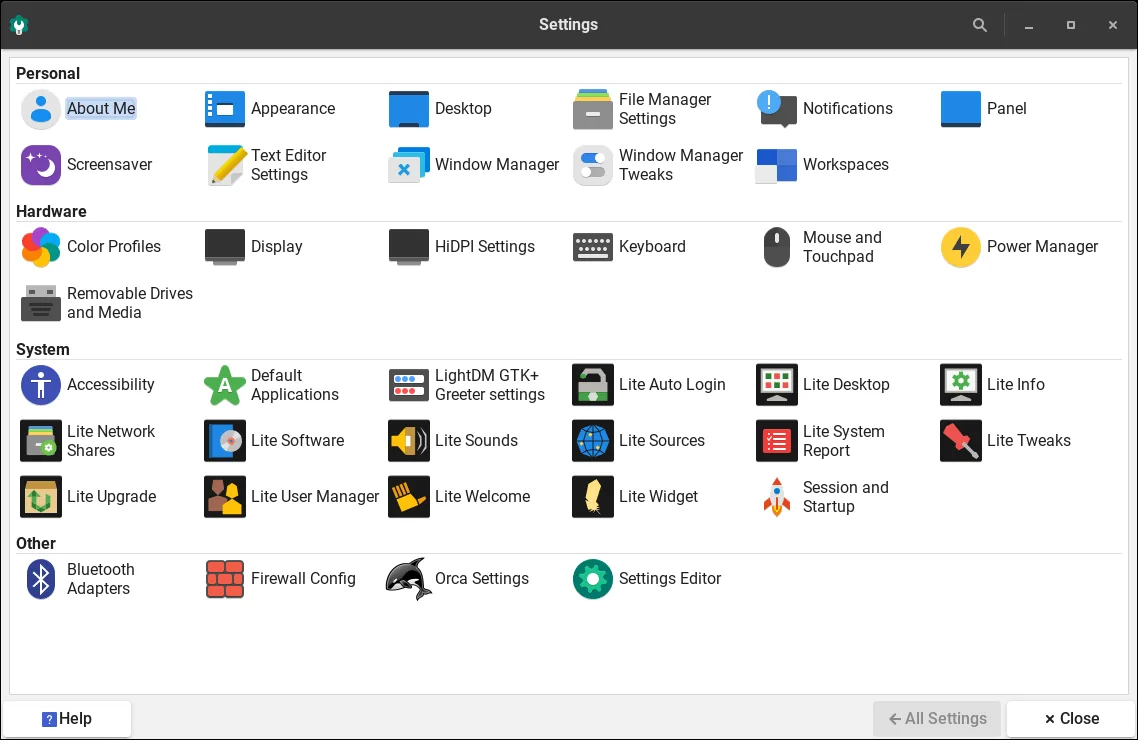
Version 8.2 runs Ubuntu 26.04.1 LTS, Xfce 4.20, and the Linux 7.3 kernel in a 2.4 GB ISO. Firefox, Thunderbird, LibreOffice, GIMP, and VLC come pre-installed. The Lite tools set it apart: Lite Welcome guides drivers and updates on first boot, Lite Software is a friendly app store, and Lite Tweaks cleans caches in one click, with a one-click Game Center and local MyAI assistant.
Requirements and Real Performance
Official minimums: 1.5 GHz dual-core, 4 GB of RAM, 40 GB of storage. It is 64-bit only, uses the Calamares installer, and ships DEB packages only — no Snap or Flatpak in 8.x. In testing, 8.0 idled at about 650 MB of RAM and booted in about 18 seconds on a 2014 laptop.
Where Linux Lite Is Not the Best Choice
Lite is not the lightest. Lubuntu idles near 480 MB against Lite's ~650 MB; Puppy runs in far less. On 2 GB, Lite runs but feels tight with a second app open. Pick Lite for 4 GB, Lubuntu for 2 GB, Puppy or antiX for 1 GB or less.
The Rest of the List
2. Lubuntu 26.04 LTS — The Lightest Ubuntu Option
Lubuntu is Linux Lite's closest rival and the lightest official Ubuntu flavour. It uses LXQt, idles near 480 MB of RAM, runs comfortably on 2 GB and runs on 1 GB, and is supported until 2029. Choose it for a 2 GB laptop; Lite suits 4 GB.
3. Peppermint OS — Light, Minimal, and Cloud-Friendly
Peppermint OS is a Debian-based distro with Xfce: a minimal, cloud-centric system with web apps woven in. Minimum is 1 GB of RAM and 10 GB of disk, with 4 GB recommended. It suits a 1–2 GB laptop used mostly in the browser.
4. Puppy Linux — The Tiny One That Runs in RAM
Puppy Linux loads entirely into RAM, so even a slow or failing hard drive does not hold it back. Classic figures: 600 MHz processor, 256 MB of RAM, ~300 MB ISO — and it still supports 32-bit machines. It is the answer for ancient hardware or a rescue stick.
5. antiX — For Machines Everyone Else Gave Up On
antiX is Debian-based, skips the heavy systemd manager, and uses featherweight window managers. It runs on as little as 256 MB of RAM, idles near 256 MB, and still supports 32-bit processors. It is the strongest choice for a single-core machine or 512 MB–1 GB of RAM.
6. Bodhi Linux — Beautiful and Barely There
Bodhi Linux pairs an Ubuntu LTS base with Moksha, one of the prettiest lightweight desktops around. It needs only a 500 MHz processor, 256 MB of RAM, and 5 GB of disk. Pick it for a beautiful light system.
7. Zorin OS Lite — The Most Windows-Looking Option
Zorin OS Lite uses Xfce and is designed to look and feel like Windows. Older roundups list a 700 MHz processor, 512 MB of RAM, and 8 GB of disk, with a browser, media player, and basic apps included. Good for the most familiar-looking screen.
8. Xubuntu — The Same Xfce, Without the Extras
Xubuntu is the official Ubuntu flavour with Xfce: the same desktop as Lite, without its custom tools. Current guidance lists 1 GB of RAM minimum and 2 GB recommended, with ~20 GB of storage. Choose it for a plain official flavour.
9. MX Linux — Light, Polished, and Rock Solid
MX Linux combines antiX's light footprint with Debian Stable and its own MX Tools. It needs 1 GB of RAM minimum and 2 GB for comfortable use, with 15 GB of disk. It fits a 2–4 GB laptop wanting polish without weight.
10. Tiny Core Linux — The Smallest of Them All, Experts Only
Tiny Core is possibly the smallest Linux desktop: 16 MB, running on 64 MB of RAM and an i486 processor. But it ships with almost nothing, and building it into a usable system is experts-only work.
Quick Comparison
| Distro | Base | Desktop | RAM | Best for |
|---|---|---|---|---|
| Linux Lite 8.2 | Ubuntu LTS | Xfce 4.20 | 4 GB | Windows switchers |
| Lubuntu 26.04 LTS | Ubuntu LTS | LXQt | 2 GB | 2 GB machines |
| Peppermint OS | Debian | Xfce | 1 GB | Browser-first, 1–2 GB |
| Puppy Linux | Ubuntu / Slackware | JWM | 256 MB | Ancient hardware |
| antiX | Debian | IceWM | 256 MB | 32-bit, sub-1 GB |
| Bodhi Linux | Ubuntu LTS | Moksha | 256 MB | Pretty light desktop |
| Zorin OS Lite | Ubuntu LTS | Xfce | 512 MB | Windows-like look |
| Xubuntu | Ubuntu | Xfce | 2 GB | Plain official Xfce |
| MX Linux | Debian | Xfce | 2 GB | Polished daily driver |
| Tiny Core Linux | Independent | FLWM | 64 MB | Experts only |
How to Try One Before You Commit
Download the ISO from the project's official site and check its checksum. Make a bootable USB with Rufus or Etcher, boot from it, and try the live session — nothing installs until you choose it. For Linux Lite, get the 64-bit ISO from the official Linux Lite site, disable Secure Boot first, and run Lite Updates after first boot.
Verdict: Why Linux Lite Tops the List
The reviewers agree. How-To Geek ranked Linux Lite first in 2025 and first again among 2026's breakthrough distros. ZDNet put it first of five; TecMint placed it third of sixteen. It wins on balance: it is light enough, complete and easy to set up.
It is not the lightest — Lubuntu and Puppy idle lower and are the right picks for 2 GB and 1 GB machines. But on the 4 GB laptop most people actually have in a drawer, Lite feels finished from the first boot. 4 GB: Linux Lite. 2 GB: Lubuntu. 1 GB or less: antiX or Puppy.
FAQs
Is Linux Lite the best lite Linux distro for an old laptop?
For most people, yes. It tops the 2026 rankings from How-To Geek and ZDNet: a light Xfce desktop with full apps, guided setup, and long-term Ubuntu support.
Will Linux Lite run on 2 GB of RAM?
It runs, but feels tight once you open a second app. The official minimum is 4 GB for comfort.
What is the lightest Linux distro for an old laptop?
Tiny Core, at 16 MB with 64 MB of RAM — but experts only. For daily use, antiX runs on 256 MB and Puppy runs entirely in RAM; both support 32-bit machines.
Can Linux Lite replace Windows 11 on an old laptop?
Yes — that is its main job. Windows 11 will not install on many 2014–2019 machines (TPM 2.0), while Lite installs cleanly and looks close to Windows.
Does Linux Lite work on a 32-bit laptop?
No. Lite is 64-bit only; 32-bit ISOs ended with version 4.4. For a 32-bit machine, use antiX or Puppy Linux.
How do I install Linux Lite on an old laptop?
Get the latest 64-bit ISO from the official Linux Lite site, make a bootable USB with Rufus or Etcher, and boot from it. Try the live session, disable Secure Boot, then install.
Conclusion
An old laptop is not a dead laptop, just a good machine with an OS that got too heavy for it. Linux Lite 8.2 is the best place to start in 2026: light enough for 4 GB, complete from the first boot, friendly to Linux newcomers. Pick the entry that matches your RAM and put the drawer laptop back to work.