Linux Lite and Ubuntu look like rivals, but they are family. Linux Lite is built directly on Ubuntu's Long Term Support releases, so the two share the same foundation, software and security updates. The difference is what each builds on top: Ubuntu ships the modern GNOME desktop for current hardware, while Linux Lite uses the lightweight Xfce desktop for older machines.
The Short Answer: Same Family, Different Job
Think of Ubuntu as the full-size family car and Linux Lite as the same car with a smaller engine and a simpler dashboard. Ubuntu is Canonical's flagship desktop: polished and powerful, but it asks for modern hardware, including 6 GB of RAM. Linux Lite 8.2 needs only 4 GB and idles on roughly 650 MB. As one reviewer put it, Ubuntu is more feature-rich but heavier, while Linux Lite is Ubuntu "lite" — the same base with less bloat.
At a Glance: Linux Lite vs Ubuntu
| Linux Lite 8.2 | Ubuntu 26.04 LTS | |
|---|---|---|
| Based on | Ubuntu 26.04.1 LTS | Debian |
| Desktop | Xfce 4.20 | GNOME 50 |
| Minimum RAM | 4 GB | 6 GB |
| Idle RAM use | About 650 MB | About 1 GB |
| App packaging | DEB only (no Snap, no Flatpak) | DEB plus Snap |
| Secure Boot | Not supported | Supported |
What They Share: The Ubuntu Base
This is the most important fact in the whole comparison. Linux Lite is not a rival system built from scratch. It is Ubuntu, reshaped. Both run the same kernel family, draw software from the same Ubuntu repositories, and receive patches from the same Ubuntu security team. Most Ubuntu applications work on Linux Lite too, and switching is painless: your files and applications carry straight across.
Linux Lite is based on Ubuntu 26.04 LTS, so underneath it is the same system as Ubuntu itself.
The Desktop: Xfce vs GNOME
Linux Lite's Xfce Desktop
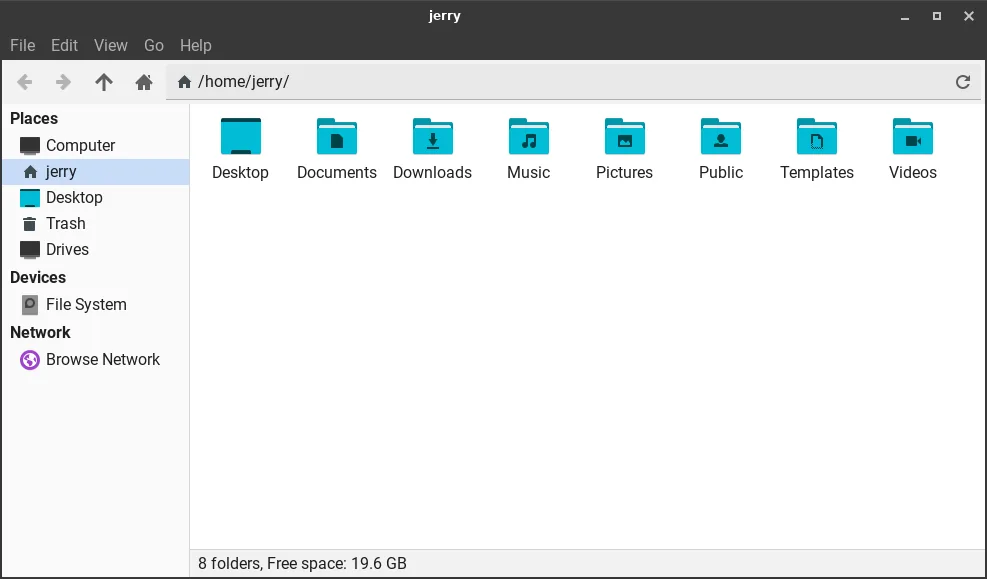
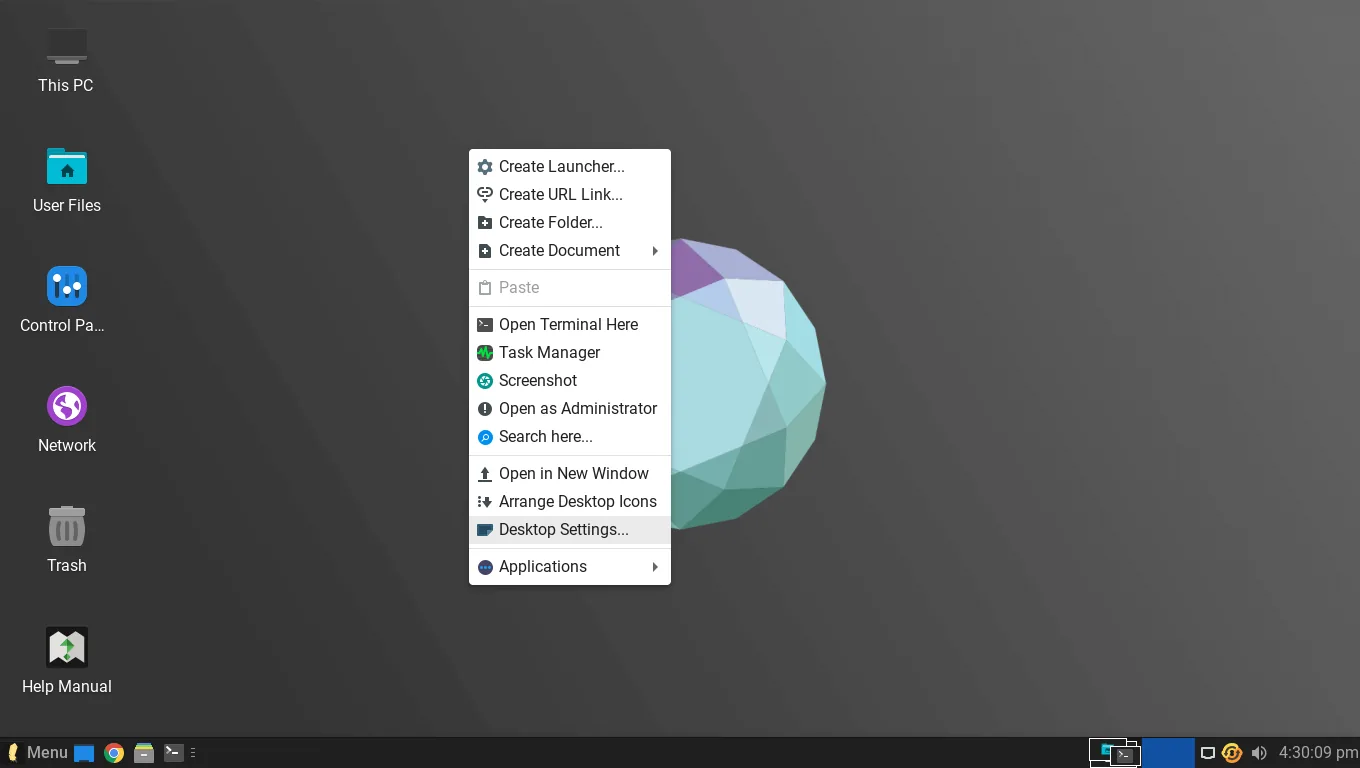
Linux Lite uses Xfce 4.20: fast, stable and easy to customise, with a layout familiar to Windows users — taskbar, start menu, desktop icons and system tray. It is plain by design, and it uses very little memory and CPU.
This is the desktop you see from the first boot, and it stays familiar even if you have never used Linux before.
Ubuntu's GNOME Desktop
Ubuntu uses GNOME 50: an Activities view, a dock and workspaces instead of a start menu and taskbar. The cost is resources — GNOME needs hardware-accelerated graphics, a fresh session uses around 1 GB of memory, and Ubuntu 26.04 has dropped X11, so GNOME runs on Wayland only.
Which Desktop Suits an Old PC?
On a recent machine, GNOME's polish is worth its cost. On a ten-year-old laptop, Xfce's lightness decides everything: a 2009 laptop crawled under Ubuntu, yet ran everyday tools smoothly under Linux Lite.
Performance on Old Hardware
Linux Lite 8.0 was measured at about 650 MB of RAM at idle on a 2014 laptop, with a boot time of around 18 seconds. Ubuntu's release notes raised the desktop requirement to 6 GB of RAM for version 26.04, up from 4 GB in 24.04 — and a 4 GB machine will feel slow with a modern browser open.
Linux Lite asks for a 1.5 GHz dual-core processor; Ubuntu asks for 2 GHz. One limit: Linux Lite is light but complete, so on 2 GB it runs yet feels tight with a second application open.
Apps and Software: What You Get Out of the Box
Linux Lite ships the full set: Firefox, Thunderbird, LibreOffice, VLC, GIMP and the Thunar file manager. There are no cut-down replacements — "lite" refers to how light Linux feels. Ubuntu ships GNOME, Firefox and the core GNOME applications, but no office suite or email client by default.
DEB Packages vs Snap
Linux Lite ships DEB packages only — version 8.x deliberately removed Snap and Flatpak, so applications start fast and carry no duplicate runtimes. Ubuntu leans on Snap instead: its Firefox is a Snap, and many store applications are Snaps. Snaps are sandboxed and self-updating, but they start more slowly and take more disk space.
The Lite Tools vs Stock Ubuntu
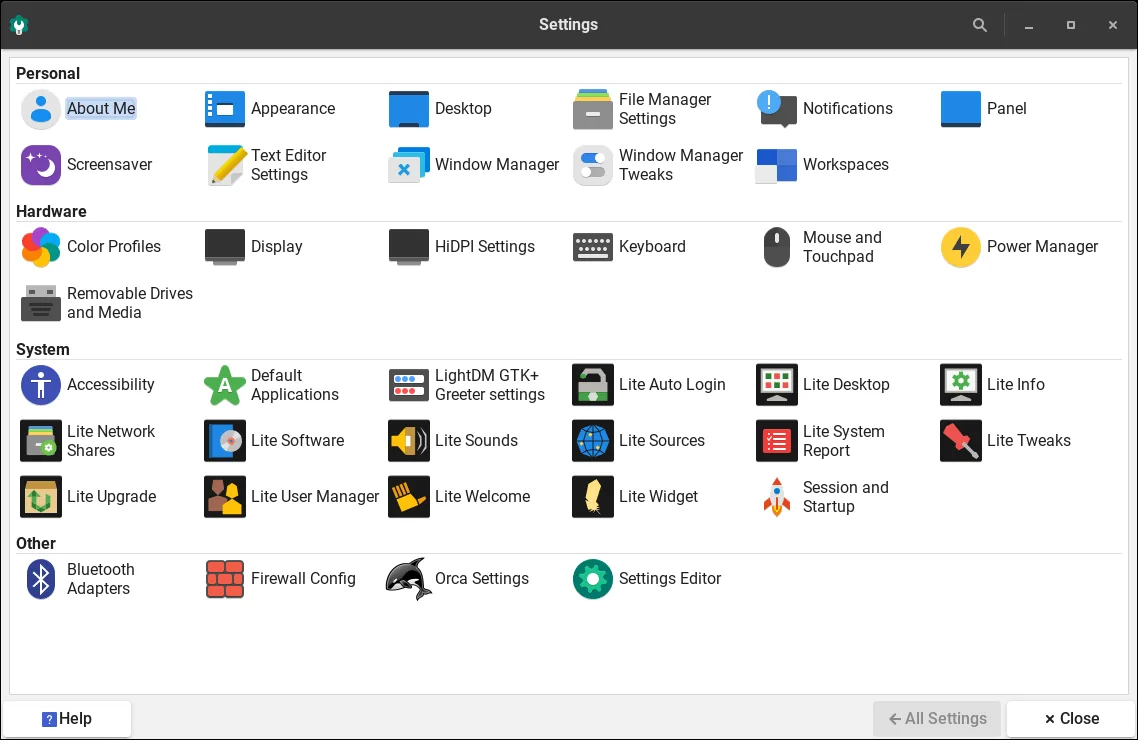
Linux Lite's biggest advantage is its own helper applications. Lite Welcome guides you through updates, drivers and setup on first boot. Lite Software installs applications with one click, Lite Updates patches the system, Lite Tweaks cleans caches, Lite Driver Manager finds drivers, and Lite Kernel Manager switches kernels. Lite Game Center installs Steam, Lutris, Proton and Wine in one click, and MyAI is a local AI assistant you can remove completely.
Ubuntu has none of these — a capable settings app and software store, but nothing that holds a new user's hand through the first day. Reviewers praise the Welcome screen and one-click tools as the reason Linux Lite is easier for a Windows switcher.
Installation, Gaming and Support
Installing either system takes under 20 minutes on a modern drive. Linux Lite 8.x uses the Calamares installer, and a live session lets you try it from a USB stick first. The difference is Secure Boot: Ubuntu supports it, while Linux Lite does not — it must be disabled in the BIOS before installation.
For gaming, Linux Lite has the edge on older hardware, with its Game Center and a gaming kernel tuned for low-latency input. On a modern machine with a good graphics card, Ubuntu's newer GNOME and full driver support make it stronger.
On support, both rest on the same Ubuntu LTS security updates: Ubuntu 26.04 LTS is supported until May 2031, and Linux Lite follows the LTS cycle, so its 8.x series shares that window. Ubuntu adds Canonical's paid support, Ubuntu Pro and the biggest help community. Linux Lite's community is smaller but friendly, with over 91 million forum views. Note: its firewall is off by default and must be switched on.
Pros and Cons
Linux Lite
Pros: very light on RAM and CPU; familiar Windows-style desktop; complete applications out of the box; the Lite tools remove most beginner friction; DEB-only software starts fast.
Cons: needs Secure Boot disabled; no official ARM version; the firewall is off by default; fewer advanced options, so power users may find it "too simple".
Ubuntu
Pros: polished modern GNOME desktop; backed by Canonical with paid support and Ubuntu Pro; the largest Linux help community; Secure Boot and TPM support.
Cons: needs 6 GB of RAM in 26.04; GNOME is heavy on old hardware; Firefox as a Snap starts slowly; no office suite or email client pre-installed.
Which Should You Choose?
Pick Linux Lite if: your PC has 4 GB of RAM (or 2 GB in a pinch); it is a laptop from roughly 2012 to 2018; you are switching from Windows; or you want one-click tools instead of the terminal.
Pick Ubuntu if: your PC has 8 GB of RAM or more; it is a modern machine with hardware-accelerated graphics; you want Canonical's commercial support or Ubuntu Pro; or you develop software or run servers.
Either is fine if: your PC has 6 GB of RAM and a reasonably modern processor — at that level the performance gap narrows to almost nothing.
Pick neither if: your machine has under 1 GB of RAM — both are complete desktops, and a machine that old needs an ultra-light system.
FAQs
Is Linux Lite just a lighter version of Ubuntu?
Essentially, yes. It is built on Ubuntu LTS with the same repositories and updates, but replaces GNOME with Xfce, adds its own beginner tools, and drops Snap and Flatpak.
Can I run the same software on Linux Lite as on Ubuntu?
Almost always, yes — both use the same Ubuntu repositories. The exception is Snap-only software, which needs its DEB alternative on Linux Lite.
Which is better for a 4 GB RAM laptop?
Linux Lite, clearly. Ubuntu 26.04 asks for 6 GB of RAM; a 4 GB machine will feel slow with a browser open. Linux Lite is comfortable on 4 GB.
Does Linux Lite get the same security updates as Ubuntu?
Yes — it receives the same patches from the Ubuntu security team, and Lite Updates installs them with one click. Remember to switch the built-in firewall on: it is off by default.
Is Ubuntu too heavy for old PCs?
For genuinely old PCs, yes — GNOME needs hardware-accelerated graphics and 6 GB of RAM in 26.04.
Can I switch from Ubuntu to Linux Lite (or back) easily?
Yes. Both share the same base, so your files and most applications carry across. Keep a backup — moving between them is a clean install away.
Conclusion
Linux Lite vs Ubuntu is not a fight between two different operating systems. It is a choice between two ways of using the same one.
Ubuntu is the full, modern expression of the platform: polished GNOME desktop, company backing and the biggest community. On a modern machine, it is the better pick.
Linux Lite is the same platform, tuned for the machines Ubuntu has left behind: lighter, simpler, friendlier to Windows switchers. On an old PC with 4 GB of RAM, it is the difference between a computer that works and one that gathers dust.
If your PC is old, pick Linux Lite. If your PC is new, pick Ubuntu. If you are unsure, try Linux Lite first from a USB stick — it costs nothing.